In today’s digital world, your identity needs to be as mobile as you. Gone are the days when you had to keep a physical plastic card in your wallet for each official errand. You can check into a hotel, open a bank account with zero balance or verify your credentials for a new job – all with a digital version of your identity that is now universally accepted.
The Unique Identification Authority of India (UIDAI) offers a very secure electronic copy of your card that is password protected, called the e-Aadhaar. Knowing how to download e-Aadhaar easily means you’ll always have your most important document with you, even if you lose the physical card. This guide for 2026 will walk you through the most efficient ways to secure your digital ID in minutes.
1. What is an e-Aadhaar?
An e-Aadhaar is a digitally signed version of your physical card and is valid. It contains your demographic info, photograph and a secure QR code for offline validation. e-Aadhaar is valid for all official purposes as per the Aadhaar Act and has the same status as the Aadhaar card printed on paper.
Why You Should Download It:
- Instant Access: Available 24/7 from any location with internet connectivity.
- Enhanced Security: It is password-protected and features a digitally signed QR code to prevent tampering.
- Masked Option: You can choose to download a “Masked Aadhaar,” which hides the first 8 digits of your ID for added privacy.
2. Prerequisites for a Smooth Download
To download e-Aadhaar in a simple way, you should have your digital profile ready for authentication.
- Linked Mobile Number: This is the most important requirement. The portal will send you a One-Time Password (OTP) on your registered mobile number for verifying your identity.
- Enrolment Details: You will need 12 digit identity number, 16 digit Virtual ID (VID) or 28 digit Enrolment ID (EID) printed on your acknowledgement slip.
- PDF Reader: The file is downloaded in PDF format so make sure that your device has a compatible viewer..
3. Step-by-Step Guide: Download e-Aadhaar Easily
Here are the steps to download your digital document from the official myAadhaar portal.
Method: Using the myAadhaar Portal
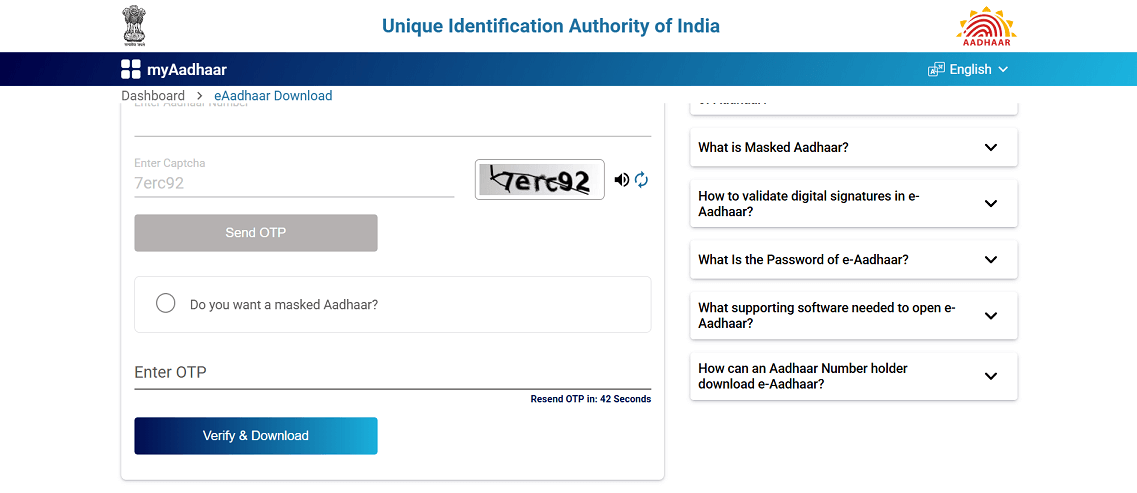
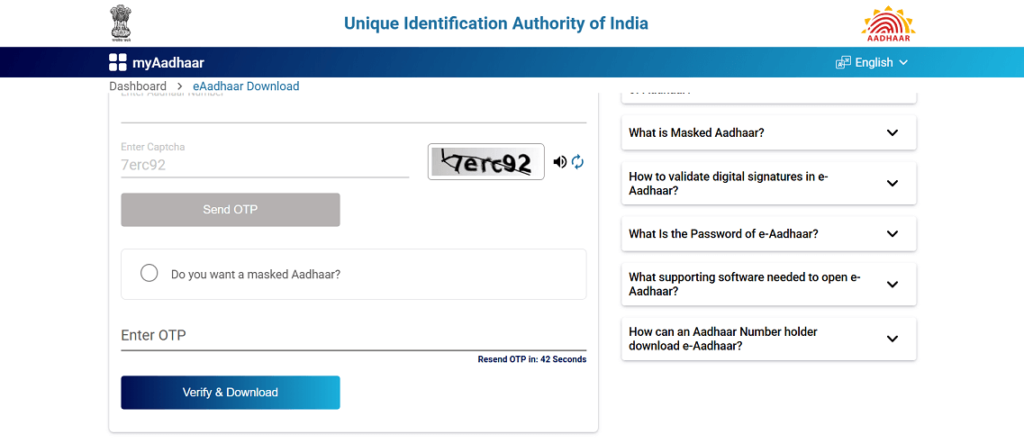
- Visit the Official Site: Navigate to myaadhaar.uidai.gov.in.
- Select Download Option: Look for the “Download Aadhaar” icon under the “Get Aadhaar” section.
- Enter Identification: Choose your preferred input method (12-digit ID, EID, or VID) and enter the numbers carefully.
- Captcha Verification: Type the security characters exactly as shown on the screen.
- Send OTP: Click the “Send OTP” button. Enter the code received on your linked mobile number.
- Masked Aadhaar Choice: If you want a masked version for privacy, tick the box labeled “Do you want a masked Aadhaar?”.
- Verify and Download: Complete the brief survey (if prompted) and click “Verify & Download.”
4. Comparison of Download Methods
You can find many platforms that will help you download e-Aadhaar easily in 2026. Select the one that works best for your device.
| Platform | Best For | Security Level | Key Benefit |
| myAadhaar Web Portal | Desktop Users | High | No app installation required |
| mAadhaar App | Smartphone Users | High | Stores the ID for offline use |
| DigiLocker App | All-in-one Storage | High | Legally valid for all agencies |
| UMANG App | Gov-Service Users | Moderate | Access to 100+ other gov services |
5. How to Open the e-Aadhaar PDF File
Once the download is complete, the file will be locked with a 128-bit encryption password. This is a common point of confusion, but the logic is simple:
The Password Format:
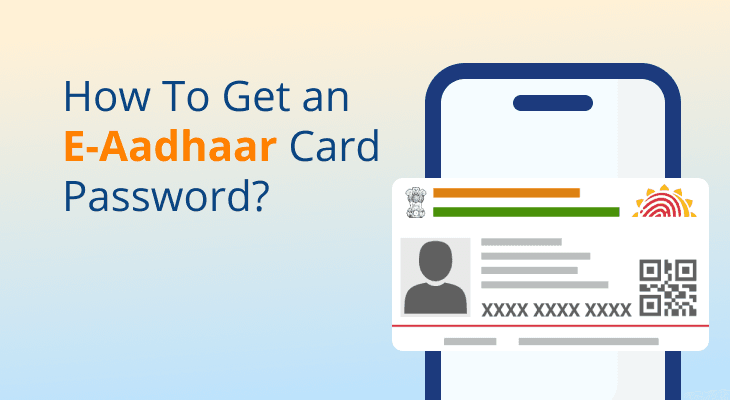
The password is a combination of the FIRST FOUR LETTERS of your name in CAPITAL letters followed by your YEAR OF BIRTH (YYYY).
Example: If your name is ANISH KUMAR and your year of birth is 1989, your password will be ANIS1989.
6. Troubleshooting Common Issues
Even when trying to download e-Aadhaar easily, you might encounter technical hurdles.
- OTP Not Received: Ensure your mobile network is stable. If the problem persists, check if your mobile number is still linked to your card. You can verify this using the “Verify Email/Mobile Number” tool on the UIDAI site.
- Technical Errors: If the website shows a “Server Busy” message, try clearing your browser cache or switching to the mAadhaar mobile app.
- Password Incorrect: Double-check that your name spelling matches exactly what is printed on your card. If your name has only three letters, use those followed by the year.
FAQs: Download e-Aadhaar Easily
Is the e-Aadhaar downloaded from the internet valid?
Yes. The e-Aadhaar is a legally recognized document under the Aadhaar Act and is valid for all identification purposes in 2026.
Can I download my e-Aadhaar if I don’t have my registered mobile?
No. For security reasons, the OTP is only sent to the linked mobile number. If you have lost your number, you must visit an Aadhaar Seva Kendra to link a new one before you can download the document.
What is a “Masked Aadhaar”?
A masked version hides the first 8 digits of your ID number, showing only the last 4. This is highly recommended when providing ID proof to hotels or untrusted private parties to prevent identity misuse.
How many times can I download my e-Aadhaar?
There is no limit. You can download e-Aadhaar easily as many times as you need from the official portal at no cost.
Empower Your Digital Identity
In 2026, staying organized means going digital. By following this guide to download e-Aadhaar easily, you ensure that you are never without your primary identification. Remember to keep your downloaded PDF in a secure folder or a verified digital locker to maintain your privacy while enjoying the convenience of a paperless lifestyle.