Your Permanent Account Number (PAN) is the single most important financial identifier in India, as it directly connects you to the Income Tax Department. Whether it is filing your returns, opening a high-yield savings account, or applying for a loan, a PAN card without any errors is mandatory.
But mistakes do occur, and a spelling mistake in your name, a wrong Date of Birth (DoB), or an out-of-date signature can cause significant problems during the financial KYC checks.
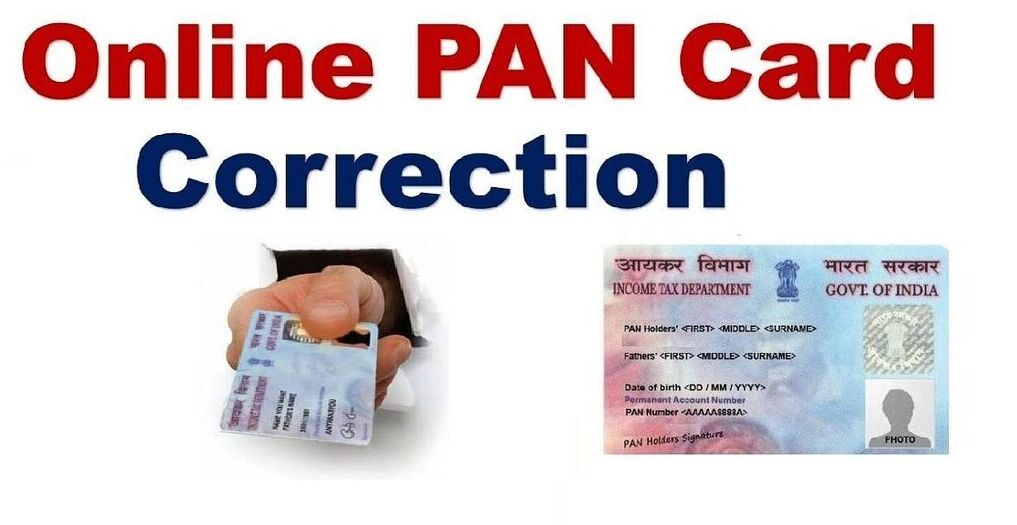
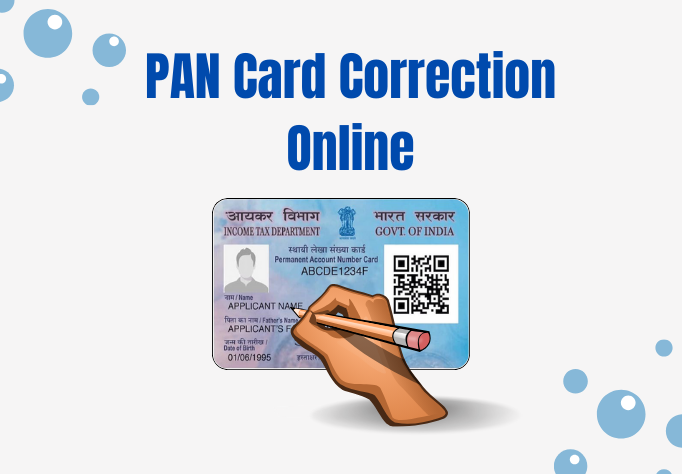
Fortunately, there is a way to correct the PAN card online through the government, and we have explained the exact PAN card correction online process, fees, and steps to update the details through the NSDL (Protean eGov Technologies) and UTIITSL portals.
The Two Authorised Portals for PAN Corrections
The Government of India has only two official processing agencies for PAN corrections and updates onlineBoth portals provide the same basic functionality and the updates are directly processed to the Income Tax Department database.
- Protean eGov Technologies Limited (Formerly NSDL e-Governance)
- UTI Infrastructure Technology and Services Limited (UTIITSL)
Both portals offer the same core capabilities and process the updates directly with the Income Tax Department’s database. Your Permanent Account Number (PAN) will remain exactly the same after the update; Your PAN will not change at all; only the demographic data beneath it will update.
Modes of Submitting Your Online Application
When making a correction request online, you can choose from three distinct submission modes:
+------------------------------------------+-------------------------------------------------------------+
| Submission Mode                          | How it Works                                                |
+------------------------------------------+-------------------------------------------------------------+
| e-KYC & e-Sign (Paperless)               | 100% digital using your Aadhaar OTP. No upload required.    |
| e-Sign Scanned Documents Based           | Upload scanned images of your photo, signature, and proofs. |
| Physical Mode                            | Print the online application and mail physical proofs.      |
+------------------------------------------+-------------------------------------------------------------+
1. Submit Digitally Through e-KYC & e-Sign (Paperless)
This is the quickest and easiest way; if your Aadhaar details are 100% accurate, you can choose this option, and the portal will pull your photograph and address directly from the UIDAI Aadhaar database; you will not have to scan or upload any external documents. If you need to make some modifications that deviate from your Aadhaar card
2. Submit Scanned Images Through e-Sign
if you need to modify your signature, provide a new passport-style photograph, or submit a specific gazette notification for a name change, you must use this mode; you will upload clear, scanned digital images of your documents, and the process will conclude by validating with an Aadhaar OTP.
3. Forward Application Documents Physically
In this traditional hybrid approach, you enter the application details online, pay the fee online, and print the acknowledgment slip and send the physical photocopies of your proofs by post to the official Protean or UTIITSL office.
Documents Required for PAN Card Correction
Valid supporting documents to be kept ready for the PAN card correction online process depend on the nature of the corrections you need to make:
- Proof of Identity (PoI): Aadhaar Card, Passport, Driving License, or Voter ID Card.
- Proof of Address (PoA): Aadhaar Card, utility bills (electricity or water not older than 3 months), bank statement, or rent agreement.
- Proof of Date of Birth (DoB): Aadhaar Card, Matriculation (10th) mark sheet, or Birth Certificate.
- Proof of PAN: A self-attested photocopy of your existing physical PAN card or the original PAN allotment letter.
Step-by-Step Guide: How to Update Your PAN Online via Protean (NSDL)
Follow these exact steps to complete the update request on the official Protean (NSDL) portal:
Step 1: Visit the Official Portal
Navigate to the official Protean TIN portal or the direct online PAN services page. Under the services tab, locate the section labeled “Changes or Correction in Existing PAN Data” and click on “Apply”.
Step 2: Fill Out the Preliminary Form
- Application Type: Select “Changes or Correction in Existing PAN Data / Reprint of PAN Card”.
- Category: Choose “Individual” (or your specific corporate entity category).
- Enter your Title, Last Name, First Name, Date of Birth, Email ID, and active Mobile Number.
- Input your existing 10-digit PAN number, confirm your Indian citizenship, agree to the terms, enter the captcha code, and hit “Submit”.
Step 3: Note Down Your Token Number
Upon submitting the first page, the portal will instantly generate a unique Token Number and email it to you. This token allows you to retrieve your draft application in case your session expires or times out. Click on “Continue with PAN Application Form”.
Step 4: Choose Your Document Submission Mode
On the next screen, pick your submission method. For a completely digital experience, select “Submit digitally through e-KYC & e-Sign (Paperless)”.
Step 5: Specify the Changes Required
The form will present your existing details. Scroll down to the demographic fields (Name, Date of Birth, Gender, Father’s Name).
- Important: You must tick the small checkbox next to the specific field that requires a change. If you do not tick the checkbox, the new data will not overwrite the old data in the database.
Step 6: Enter Your Aadhaar Details
Enter the last 4 digits (or first 8 digits depending on the mode chosen) of your Aadhaar Number and confirm that your photograph in Aadhaar should be printed on the physical PAN card.
Step 7: Make the Application Fee Payment
After confirming your contact and communication address details, click “Next” to proceed to the payment page.
- Fee Structure (Domestic): If you request a physical updated PAN card delivered to an Indian address, the fee is approximately ₹101 to ₹107 (inclusive of taxes and dispatch charges). If you only need a digital e-PAN via email, the fee is ₹72.
- Complete the transaction securely using UPI, credit/debit cards, or Net Banking.
Step 8: Authenticate via Aadhaar OTP
After a successful payment, the portal will prompt you to authenticate your Aadhaar. Click “Authenticate”, enter the OTP sent to your Aadhaar-linked mobile number, and e-Sign the digital form.
Step 9: Save the Acknowledgment Receipt
Your application is now successfully submitted! The portal will generate a 15-digit Acknowledgement Receipt. Save a copy of this document. It serves as your proof of submission and tracking number.
How to Track Your Application Status
Once you complete the PAN card correction online process, the verification and dispatch window typically takes between 7 and 15 working days. You can monitor the progress easily:
- Visit the Protean (NSDL) PAN Status Track page or the UTIITSL Tracking Portal.
- Select the application category as “PAN – New / Change Request”.
- Enter your unique 15-digit acknowledgment number or application coupon number.
- Input the on-screen captcha and click “Submit” to view your real-time status.
Summary Action Plan
To ensure your correction request goes through without any delays or rejections:
- Link Your Mobile Number First: Ensure your current active mobile number is fully linked to your Aadhaar card so you can receive the authentication OTP.
- Tick the Correct Boxes: Double-check that the checkboxes next to the corrected fields are actively ticked before you hit submit.
- Keep Scans Legible: If you are uploading documents using the scanned image mode, keep the files under 2 MB in high-resolution JPEG or PDF formats.