The year is 2026, and in the digital hustle and bustle of today, your mobile phone isn’t just a means of communication but the main entry point for your financial and legal identity. Whether you are opening a new zero-balance bank account, filing tax returns, or accessing government subsidies, a secure One-Time Password (OTP) sent to your phone is the norm for verification.
Have you recently switched your SIM card? Or is your current number not linked with the Unique Identification Authority of India (UIDAI)? If the answer is yes, you might find yourself cut off from important services. But the process has been refined to run at maximum efficiency. It is important to know how to link Aadhaar with your mobile number instantly in order to keep your digital life intact. This guide analyzes the most effective ways to complete
1. Why You Must Link Your Mobile Number Today
Linking your contact details to your unique identity is not just a formality; it is a functional necessity in 2026. Here is why it matters:
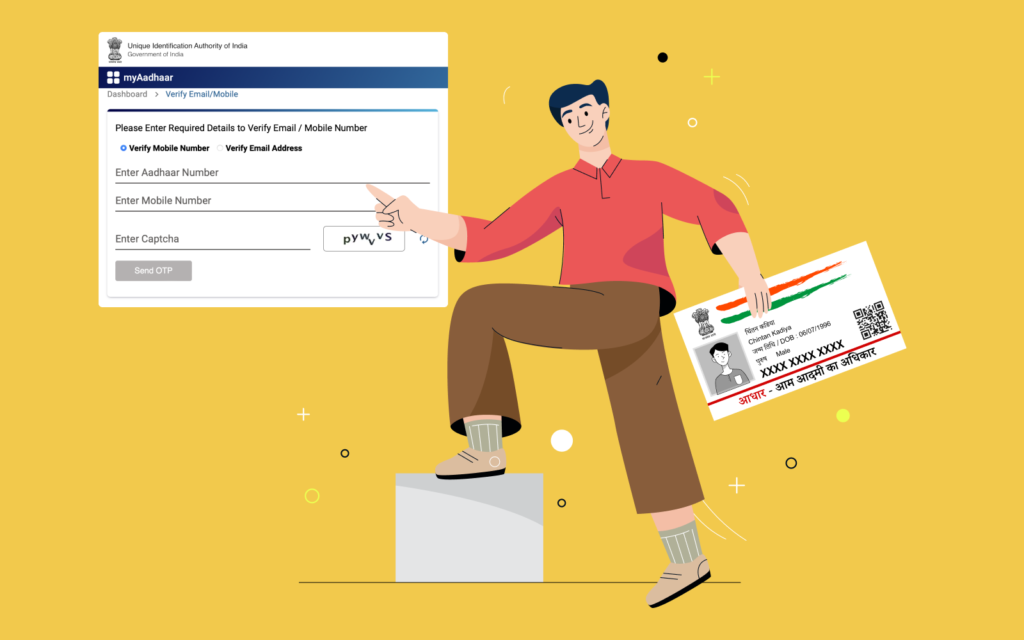
- Self-Service Updates: You can only update your residential address online if your mobile number is linked to receive an OTP.
- e-Aadhaar Downloads: If you lose your physical card, you can easily download a digital e-Aadhaar only if your number is registered.
- Financial Security: Most banking apps and UPI platforms require Aadhaar-linked mobile numbers for seamless KYC and transaction security.
- DigiLocker Access: Securely store and share your driver’s license and mark sheets digitally using Aadhaar-based authentication.
2. Fast-Track Linking Methods: 2026 Edition
The government has launched a number of digital-first initiatives, but for the first time, or when changing a phone number, a high level of biometric security is still needed to avoid identity theft.
Comparison of Authorized Linking Channels
| Method | Speed | Best For | Requirement |
|---|---|---|---|
| Aadhaar Seva Kendra (ASK) | 5 Minutes | Instant Verification | Physical Presence |
| Postman Doorstep Service | 2-5 Days | Senior Citizens/Minors | Appointment Booking |
| Online Appointment Tool | Scheduled | Busy Professionals | Prior Slot Booking |
3. Method 1: The 5-Minute In-Person Process (Aadhaar Seva Kendra)
But if you are interested in linking Aadhaar with your mobile number right away, the safest way is to go to an authorized center.
Step-by-Step Counter Process:
- Locate a Center: Visit the official UIDAI portal to find the nearest ASK or permanent enrollment center.
- Form Submission: Fill out the “Aadhaar Update/Correction Form.” Simply write your new mobile number in the designated field.
- Biometric Authentication: The operator will ask for your fingerprint or iris scan to verify that you are the genuine cardholder.
- Nominal Fee: Pay the standard government-mandated fee of ₹50 for a demographic update.
- Acknowledgement: Receive an Update Request Number (URN). This 14-digit number is your tool to track the status of your request.
Important Note: You do not need to provide any additional documents like utility bills or birth certificates just to update your mobile number. Your biometrics serve as your proof of identity.
4. Method 2: Skip the Queue with Online Appointment Booking
To ensure you spend no more than 5 minutes at the center, use the online scheduling tool.
- Visit myAadhaar: Go to myaadhaar.uidai.gov.in and select “Book an Appointment.”
- Select Location: Choose your city and the specific center you wish to visit.
- Choose Service: Select “Aadhaar Update” and enter your mobile number to generate a login OTP.
- Schedule: Pick a time slot that fits your schedule.
- Visit: Arrive at your scheduled time, show your appointment slip, and finish the biometric verification instantly.
5. Method 3: Doorstep Linking via India Post (IPPB)
For those who cannot travel, the India Post Payments Bank (IPPB) offers a revolutionary doorstep service.
- How it Works: You can request a visit from a postman through the “Post Info” app or the IPPB website.
- The Visit: A certified postman will visit your home with a handheld biometric device.
- Completion: They will scan your fingerprint, collect the ₹50 fee, and process the update on the spot. This is the most convenient way to link Aadhaar with a mobile number for homebound individuals.
6. How to Verify the Linking Status
Once you have submitted your request, it usually takes 3 to 7 working days for the new number to be updated on the central database. This you can readily follow:
- Navigate to the “Check Enrolment & Update Status” section on the UIDAI website.
- Enter your 14-digit URN and the captcha code.
- Once the status shows as “Completed,” your number is successfully linked.
- You can then use the “Verify Mobile Number” tool on the website to confirm the last three digits of your registered phone.
FAQs: Link Aadhaar with Mobile Number
Can I link my mobile number to my Aadhaar card completely online?
No. To prevent fraud, the UIDAI requires physical biometric authentication (fingerprint or iris scan) to link or change a mobile number. You can, however, book your appointment online to save time.
Is there a fee for linking the mobile number?
Yes, there is a standard government fee of ₹50 for any demographic update, including mobile number linking. This fee is the same whether you visit an ASK or use the postman service.
What documents are required to link my phone number?
When visiting an Aadhaar Seva Kendra specifically for a mobile number update, no documents are required. You only need your physical Aadhaar card number and your biometric presence.
What if I lose the phone number that was previously linked?
If you no longer have access to your old number, you must follow the in-person process mentioned above to register a new one. The old number will be automatically overwritten in the UIDAI database.
Take Control of Your Digital Identity
In 2026, the ability to link Aadhaar with a mobile number efficiently is a prerequisite for financial freedom and administrative ease. By spending just 5 minutes at an authorized center or booking a doorstep visit, you unlock the full power of your digital identity—ensuring that your banking, taxes, and government benefits are always just an OTP away.